
This how-to retrieves a Player's Entitlement history from your game, either as a single Entitlement lookup or as a full list.
Prerequisites
- Unity, Unreal, or Godot SDK installed and configured in your project (not required for REST).
- A Player that has made at least one purchase, so there's Entitlement history to retrieve.
Get a Single Entitlement
Check the Status field on a specific Entitlement to see where its purchase is in the process:
- canceled: the purchase was canceled, either by the player or because an issue was encountered.
- pending: the purchase is still processing. Retry the check periodically, but limit how often you retry to avoid spamming the endpoint.
- active: the purchase completed successfully.
string entitlementID = "";LootLockerSDKManager.GetSingleEntitlementHistory(entitlementID, (response)=>{    if(!response.success)    {        Debug.Log(response.errorData.ToString());        return;    }
    if(response.Status == LootLockerEntitlementHistoryListingStatus.canceled)    {        // canceled or issue encountered.        Debug.Log(response.errorData.ToString());        return;    }
    if(response.Status == LootLockerEntitlementHistoryListingStatus.pending)    {        // retry the process    }
    if(response.Status == LootLockerEntitlementHistoryListingStatus.active)    {        // Purchase successful, handle the expected outcome.    }});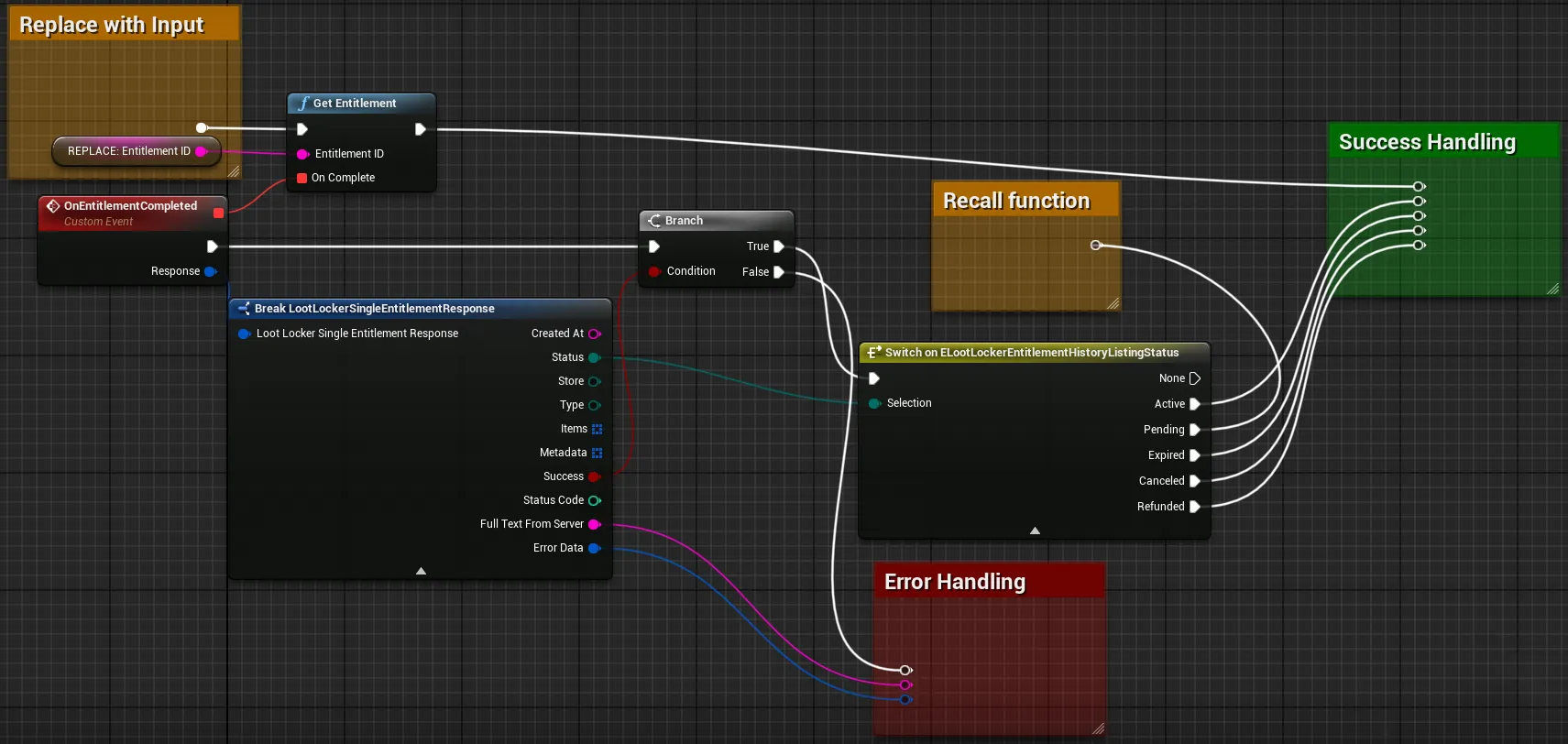
Coming soon — this sample hasn't been written yet.
curl --location --request GET 'https://api.lootlocker.io/game/entitlements/{entitlement_id}' \--header 'x-session-token: {{session_token}}' \--header 'Content-Type: application/json' \List Entitlements
Each Entitlement in the response includes fields like Type, Store, and the Rewards or Assets granted to the Player.
int count = 10;string after = "";LootLockerSDKManager.ListEntitlements(count,after,(response) => { if (!response.success) { Debug.Log("Could not get entitlements"); return; } //Handle entitlement list});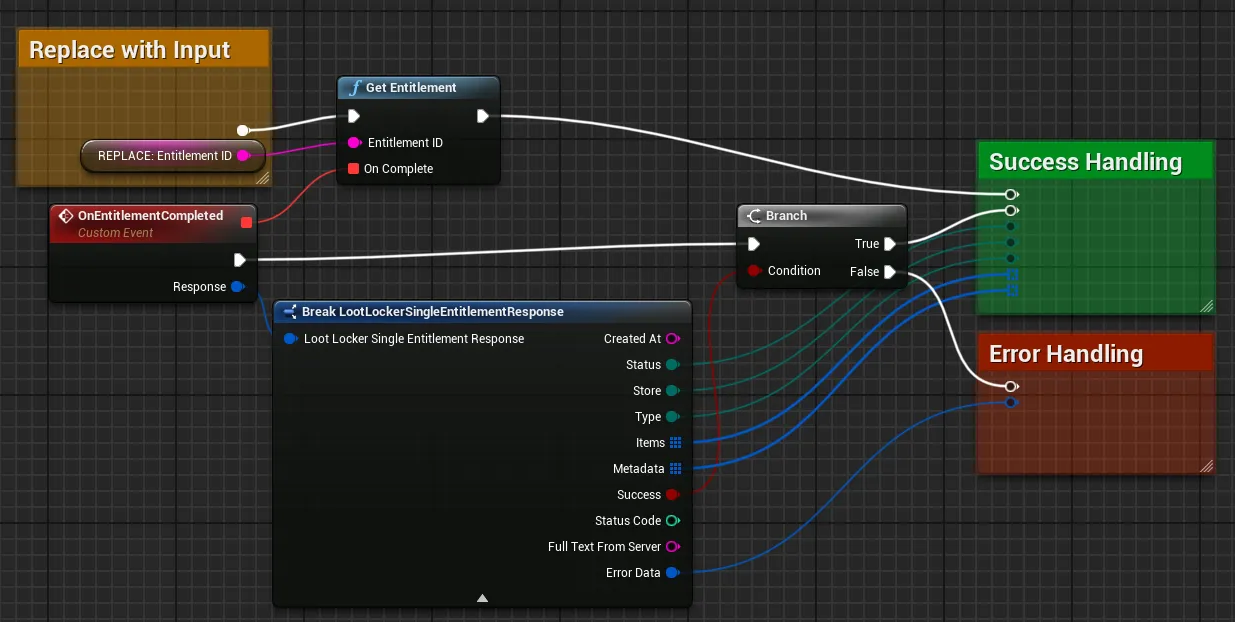
Coming soon — this sample hasn't been written yet.
curl --location --request GET 'https://api.lootlocker.io/game/entitlements/' \--header 'x-session-token: {{session_token}}' \--header 'Content-Type: application/json' \Conclusion
You've retrieved a Player's Entitlement history from your game. Next, review LootLocker's full feature set to decide which other features to implement.