
This how-to walks you through configuring Sign in with Discord and starting a Discord session from your game.
Prerequisites
- A Discord account with access to the Discord Developer Portal.
Configuration
Configure your integration in the platform settings.
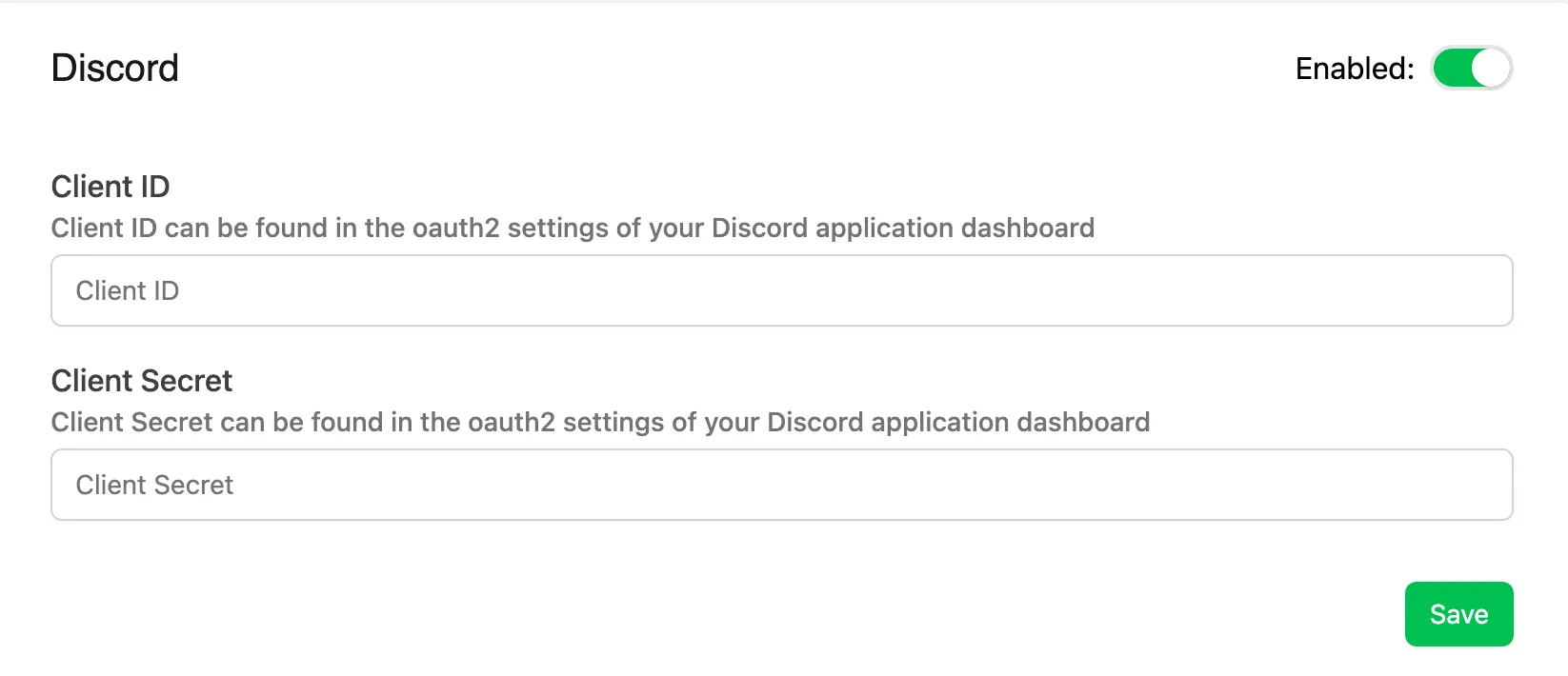
Client ID & Client Secret: retrieve these from the Discord Developer Portal. Create an application first if you don't already have one.
Start Session
Acquire a Discord Access Token (or the Discord Refresh Token also returned from the access token exchange), then use it to start a session. The response includes a refresh token, which lets you refresh the session without repeating the full sign-in flow.
Coming soon — this sample hasn't been written yet.
Coming soon — this sample hasn't been written yet.
Coming soon — this sample hasn't been written yet.
curl -X POST "https://api.lootlocker.io/game/session/discord" \ -H "Content-Type: application/json" \ -d "{\"game_key\": \"your_game_key\", \"access_token\": \"eyJQa....\", \"game_version\": \"1.0.0.0\" }"Example response:
{ "session_token": "eb13a7bf17efg36cb8481a8ds18809c7e85686e6", "player_id": 9358, "public_uid": "J72YP6MS", "player_name": null, "player_created_at": "2023-02-21T15:33:25+00:00", "check_grant_notifications": false, "check_deactivation_notifications": false, "seen_before": true, "refresh_token": "eyJh............................."}Refresh Session
Refresh the session instead of having the player go through the full sign-in flow every time. The request returns a 401 (Unauthorized) if the refresh token has expired, in which case start a new session instead.
Coming soon — this sample hasn't been written yet.
Coming soon — this sample hasn't been written yet.
Coming soon — this sample hasn't been written yet.
curl -X POST "https://api.lootlocker.io/game/session/discord" \ -H "Content-Type: application/json" \ -d "{\"game_key\": \"your_game_key\", \"refresh_token\": \"eyJQa....\", \"game_version\": \"1.0.0.0\" }"Example response:
{ "session_token": "eb13a7bf17efg36cb8481a8ds18809c7e85686e6", "player_id": 9358, "public_uid": "J72YP6MS", "player_name": null, "player_created_at": "2023-02-21T15:33:25+00:00", "check_grant_notifications": false, "check_deactivation_notifications": false, "seen_before": true, "refresh_token": "eyJh............................."}Conclusion
You've started using LootLocker in your game with Sign in with Discord. Next, review LootLocker's full feature set to decide which other features to implement.