
Your players are one of the most important parts of your game. That's why LootLocker helps you authenticate them in various ways and then store different types information and data in their profile.
Authenticating Players
LootLocker supports three different types of authentication methods. You'll want to select the best method depending on your game and target platforms.
- Guest Login: Assigns each player a unique ID. Common for web or mobile games where getting the player into the game quickly is important.
- Platform Login: Covers all login methods using First Party Platforms such as Steam, Xbox, and Sign in with Apple. LootLocker uses the player's authenticated Platform ID to register their session.
- White Label Login: Provides your game with a custom username and password setup so each player can create their own account with your game.
Player Management
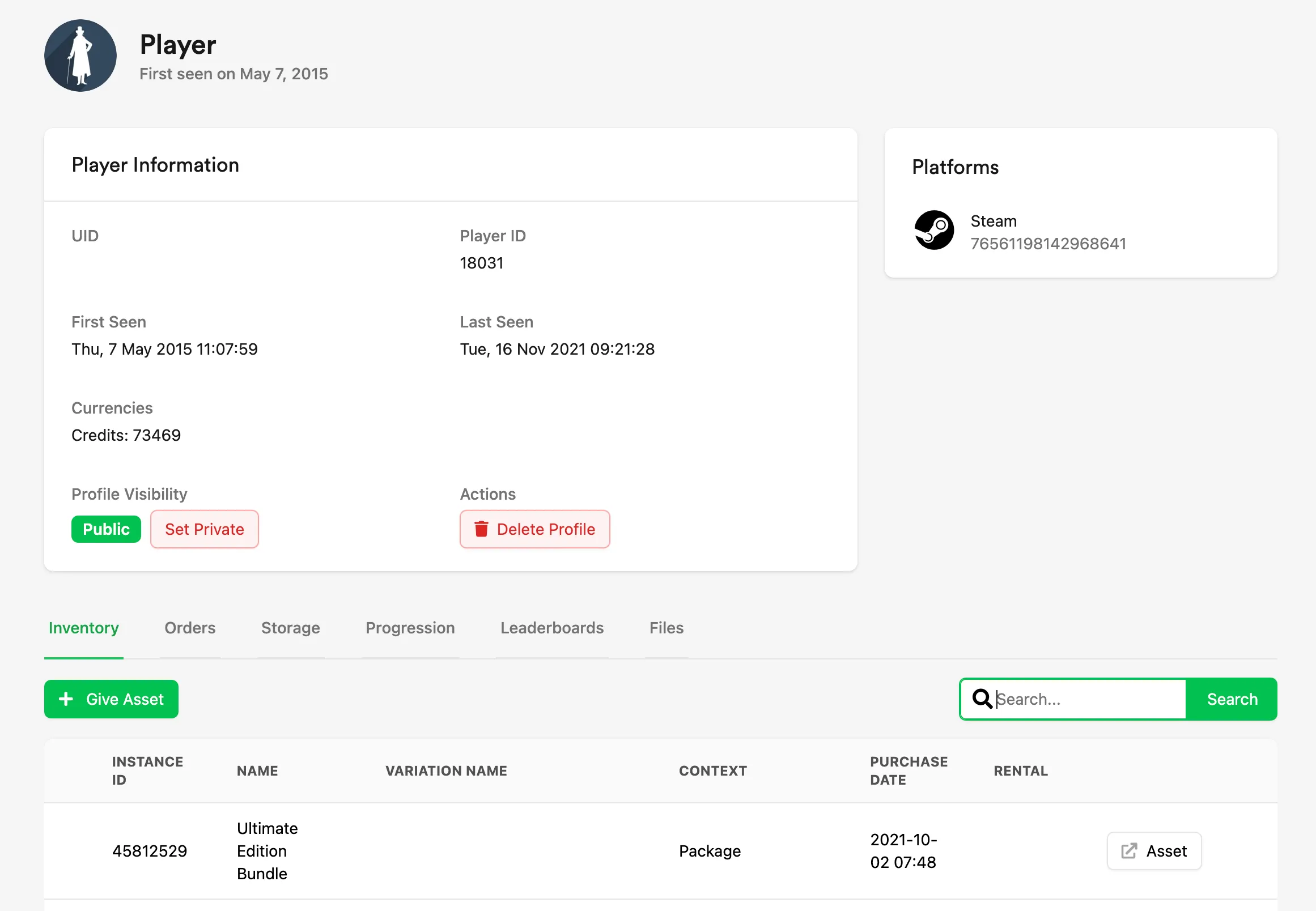
The LootLocker Player Manager allows you to easily find and manage players in your game. It allows you to:
- Search for players using a public or platform ID
- View player profiles, including
- Inventory
- Currencies
- Platforms
- Orders
- Storage
- Progression
- Leaderboards
- Files
- Grant assets
- Refund assets
- Set profile public / private
- Delete profile
- Add progression XP
- Remove / edit player's leaderboard entries
- Add / edit player key/values
Learn more in Managing Players.