
This how-to creates, updates, and manages Base Class Characters and their equipped Assets from your game.
Prerequisites
- Unity, Unreal, or Godot SDK installed and configured in your project (not required for REST).
- An active Player session (see Authentication).
- At least one Base Class configured (see Base Classes).
Create Character
Create a Character based on a Base Class.
string characterTypeID = "5";string characterName = "Mage";
LootLockerSDKManager.CreateCharacter(characterTypeID, characterName, true, (response) =>{    if (!response.success)    {        Debug.Log("Could not create Character");        return;    }
});
To see what data gets returned, please refer to our Reference Documentation.
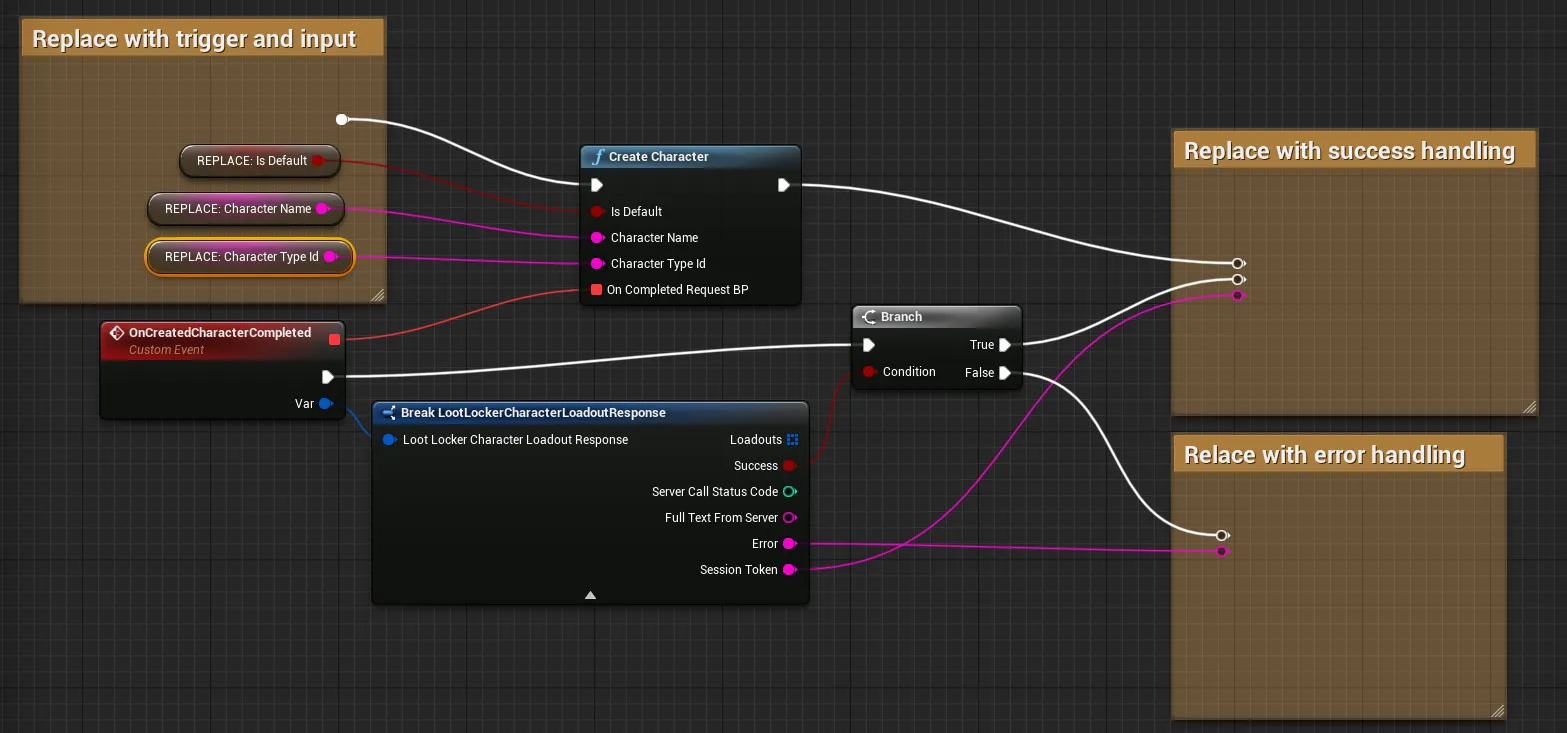
Coming soon — this sample hasn't been written yet. In the meantime, refer to the Reference Documentation for this endpoint.
Coming soon — this sample hasn't been written yet. In the meantime, refer to the Reference Documentation for this endpoint.
Update a Character
Update a Character's name or default setting.
string characterID = "5";string characterName = "Mage";
LootLockerSDKManager.UpdateCharacter(characterID, characterName, true, (response) =>{
    if (!response.success)    {        Debug.Log("Could not update Character");        return;    }
});
To see what data gets returned, please refer to our Reference Documentation.
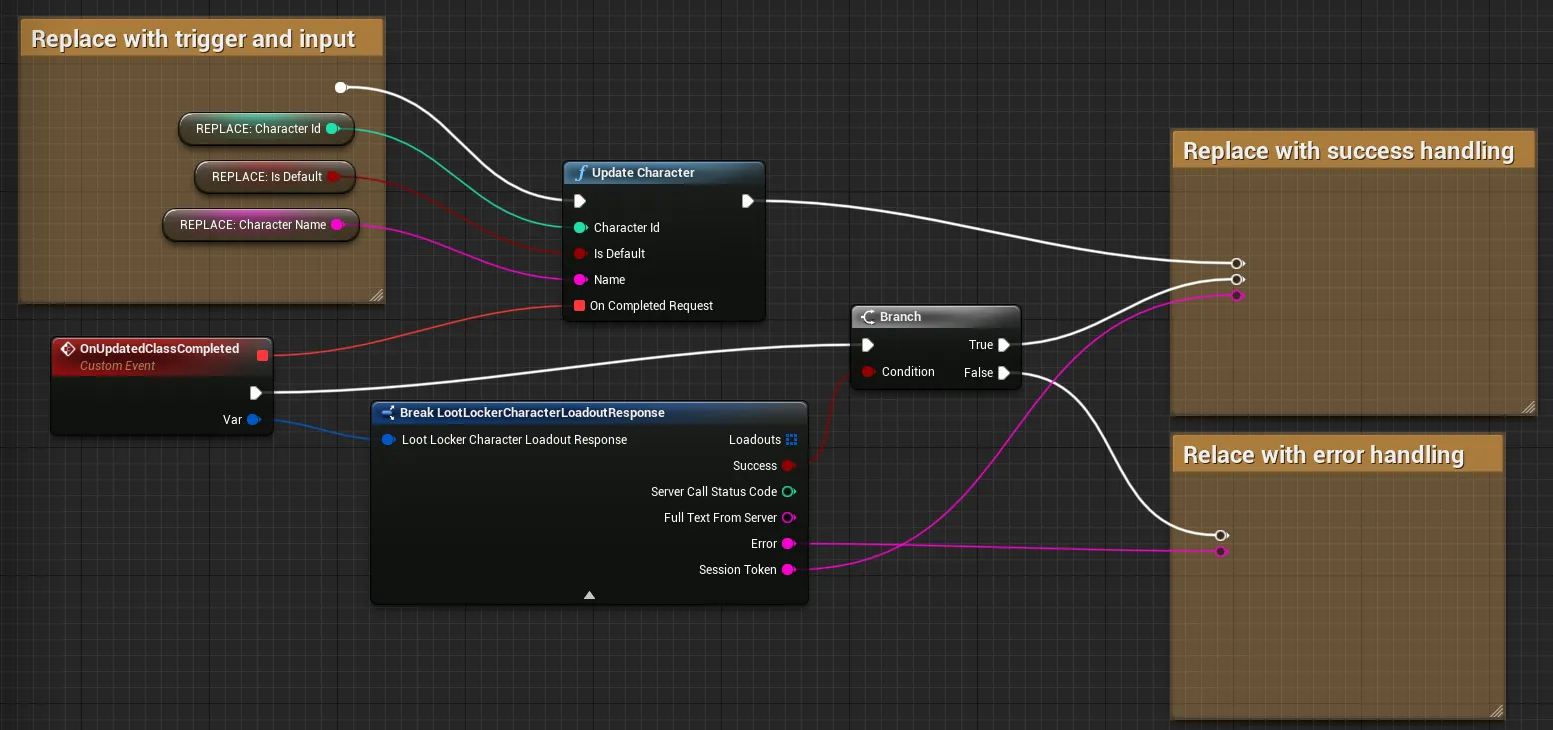
Coming soon — this sample hasn't been written yet. In the meantime, refer to the Reference Documentation for this endpoint.
Coming soon — this sample hasn't been written yet. In the meantime, refer to the Reference Documentation for this endpoint.
List Class Types
List all Class types and their Default Loadouts.
LootLockerSDKManager.ListCharacterTypes((response) =>{
    if (!response.success)    {        Debug.Log("Could not list Character types");        return;    }
});
To see what data gets returned, please refer to our Reference Documentation.
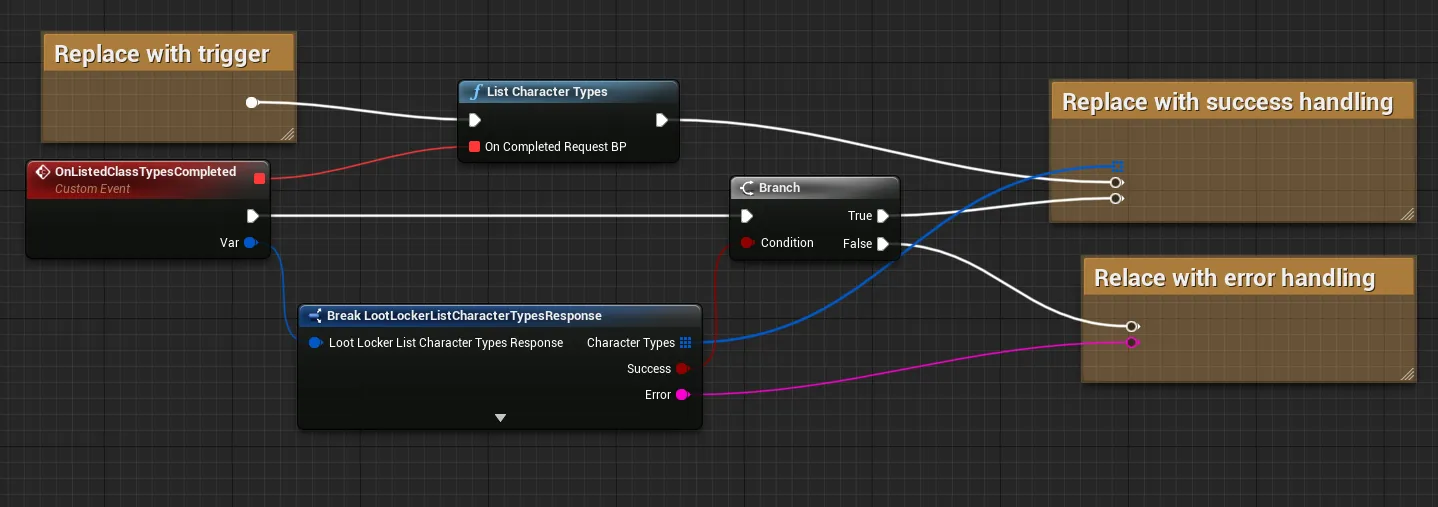
Coming soon — this sample hasn't been written yet. In the meantime, refer to the Reference Documentation for this endpoint.
Coming soon — this sample hasn't been written yet. In the meantime, refer to the Reference Documentation for this endpoint.
List Player Classes
List all Characters associated to a player. If your game uses Heroes, the Characters underlying the Heroes will be listed too.
LootLockerSDKManager.ListPlayerCharacters((response) =>{    if (!response.success)    {        Debug.Log("Could not list Characters");        return;    }
});
To see what data gets returned, please refer to our Reference Documentation.
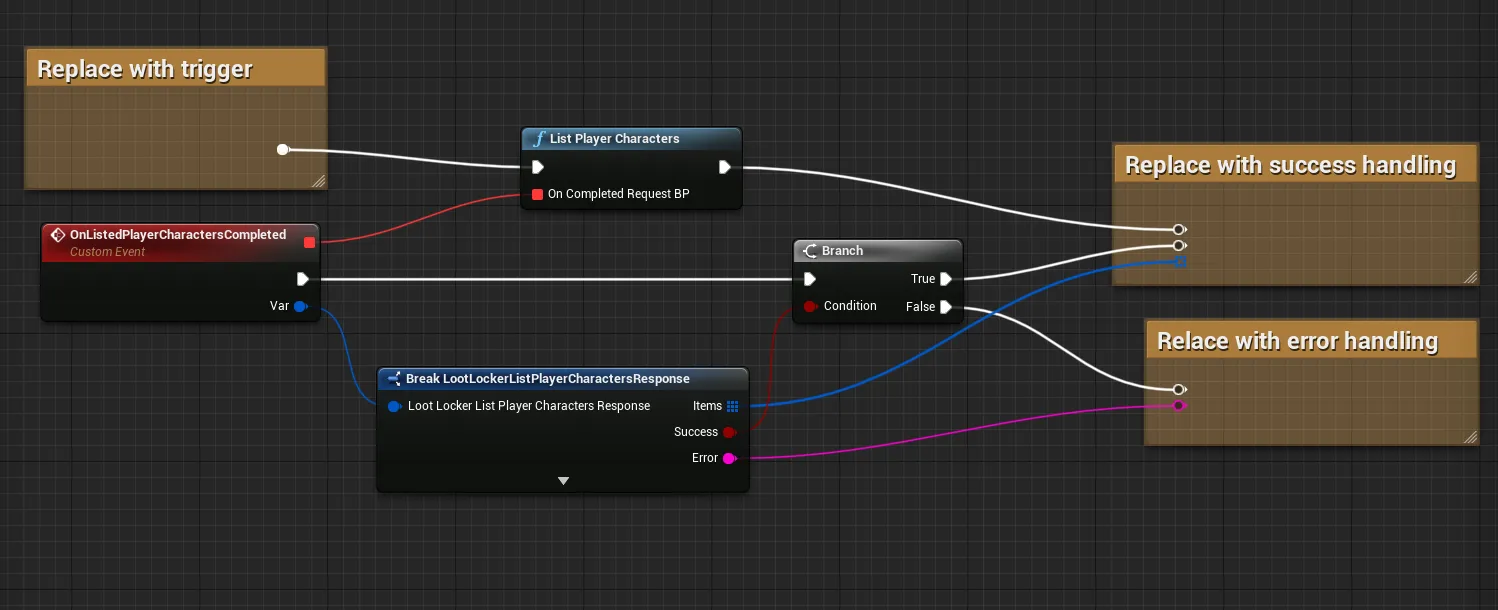
Coming soon — this sample hasn't been written yet. In the meantime, refer to the Reference Documentation for this endpoint.
Coming soon — this sample hasn't been written yet. In the meantime, refer to the Reference Documentation for this endpoint.
Get Class Loadout
This call will return all Character Loadouts, and have some additional information on the Characters.
LootLockerSDKManager.GetCharacterLoadout((response) =>{    if (!response.success)    {        Debug.Log("Could not list Character loadouts");        return;    }
});
To see what data gets returned, please refer to our Reference Documentation.
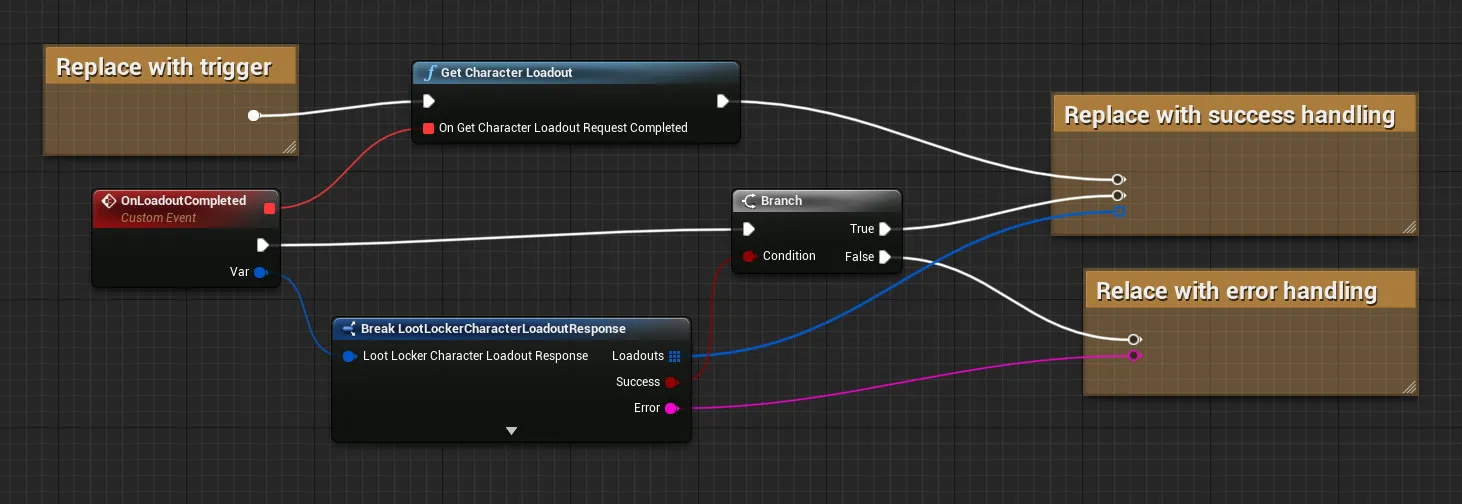
Coming soon — this sample hasn't been written yet. In the meantime, refer to the Reference Documentation for this endpoint.
Coming soon — this sample hasn't been written yet. In the meantime, refer to the Reference Documentation for this endpoint.
Get Other Players Character Loadout
Retrieve the Loadout of another player's Character Class.
string playerID = "10";LootLockerSDKManager.GetOtherPlayersCharacterLoadout(playerID, (response) =>{
    if (!response.success)    {        Debug.Log("Could not get other players loadout");        return;    }
});
To see what data gets returned, please refer to our Reference Documentation.
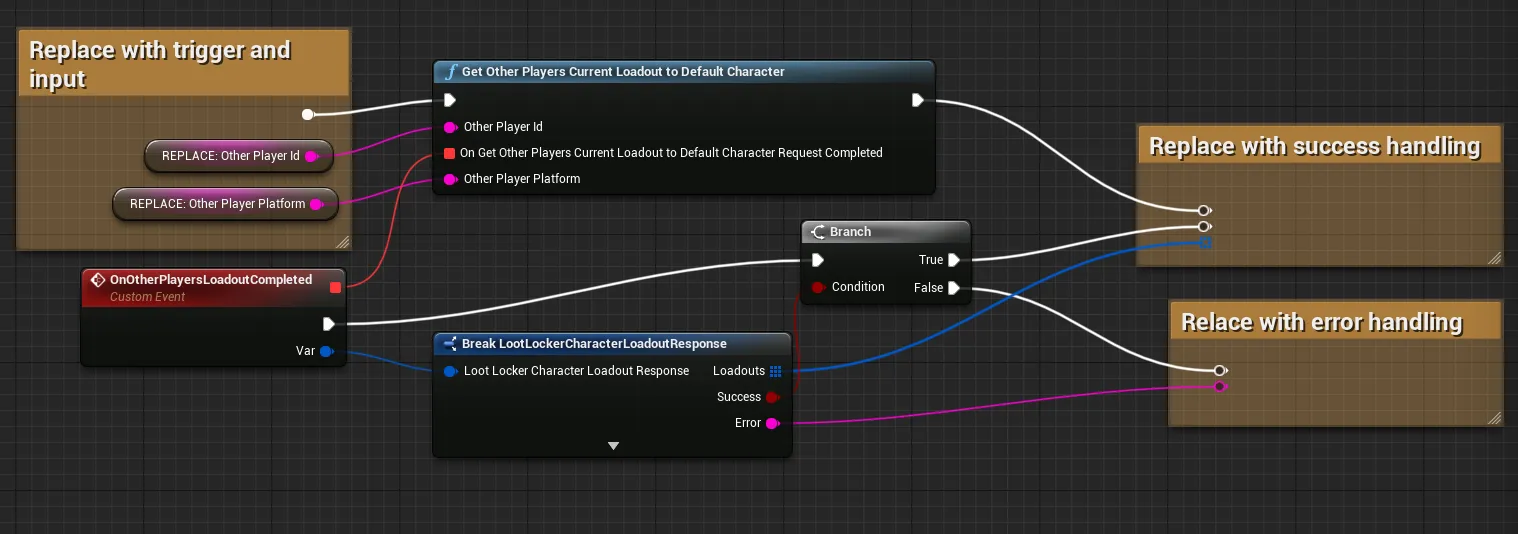
Coming soon — this sample hasn't been written yet. In the meantime, refer to the Reference Documentation for this endpoint.
Coming soon — this sample hasn't been written yet. In the meantime, refer to the Reference Documentation for this endpoint.
Equip Asset to Default Class
Equip an Asset to the default selected Character Class.
string assetID = "15120";LootLockerSDKManager.EquipIdAssetToDefaultCharacter(assetID, (response) =>{    if (!response.success)    {        Debug.Log("Could not equip asset");        return;    }
});
To see what data gets returned, please refer to our Reference Documentation.
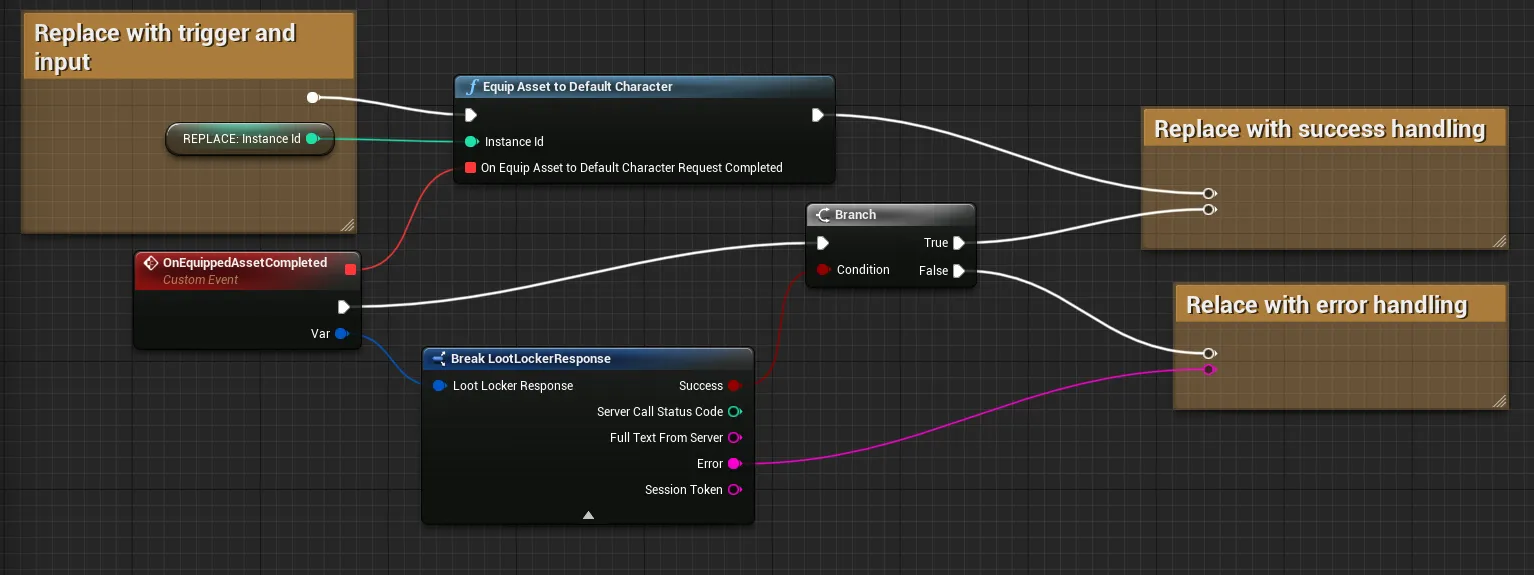
Coming soon — this sample hasn't been written yet. In the meantime, refer to the Reference Documentation for this endpoint.
Coming soon — this sample hasn't been written yet. In the meantime, refer to the Reference Documentation for this endpoint.
Equip Asset to Class
Use this API call to equip an Asset to a specific Base Class.
string characterID = "10";string assetID = "15120";LootLockerSDKManager.EquipIdAssetToCharacter(characterID, assetID, (response) =>{    if (!response.success)    {        Debug.Log("Could not equip asset");        return;    }
});
To see what data gets returned, please refer to our Reference Documentation.
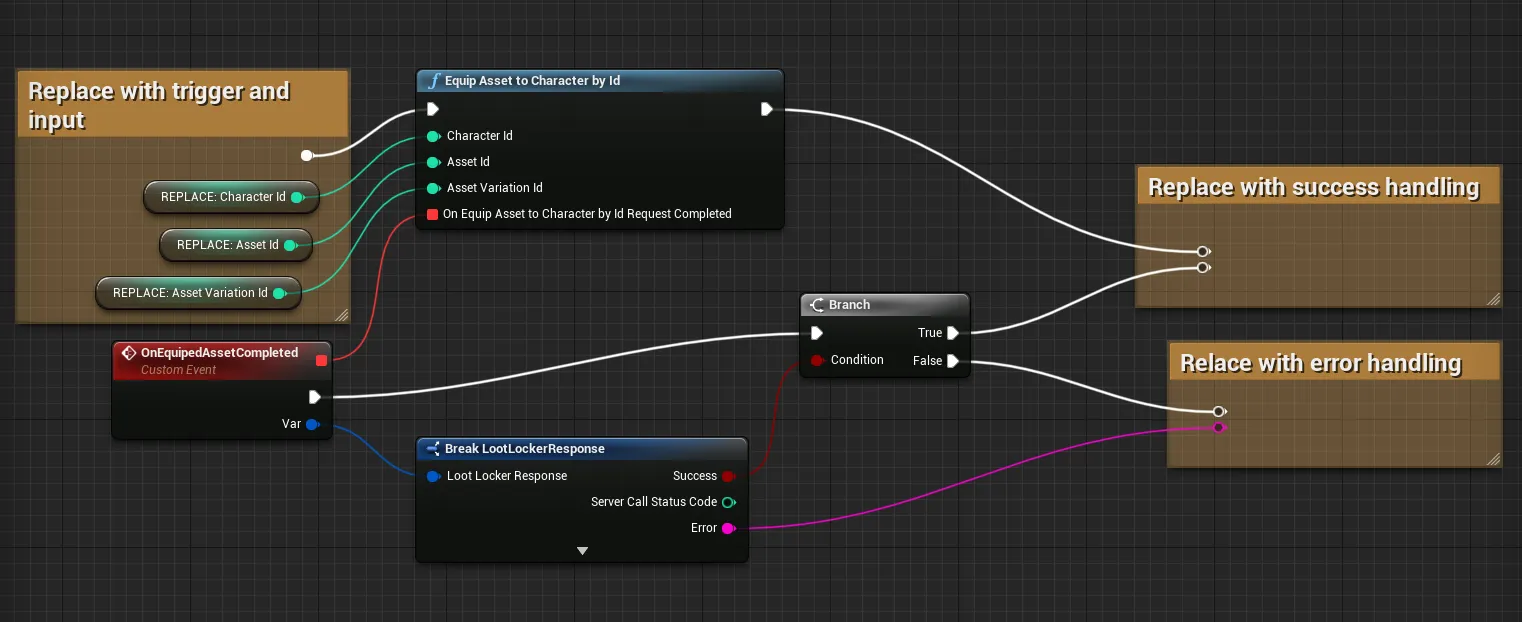
Coming soon — this sample hasn't been written yet. In the meantime, refer to the Reference Documentation for this endpoint.
Coming soon — this sample hasn't been written yet. In the meantime, refer to the Reference Documentation for this endpoint.
Unequip Asset from Default Class
Use this API call to unequip an Asset from the default selected Base Class.
LootLockerSDKManager.UnEquipIdAssetToCharacter(assetID, (response) =>{    if (!response.success)    {        Debug.Log("Could not unequip asset");        return;    }
});
To see what data gets returned, please refer to our Reference Documentation.
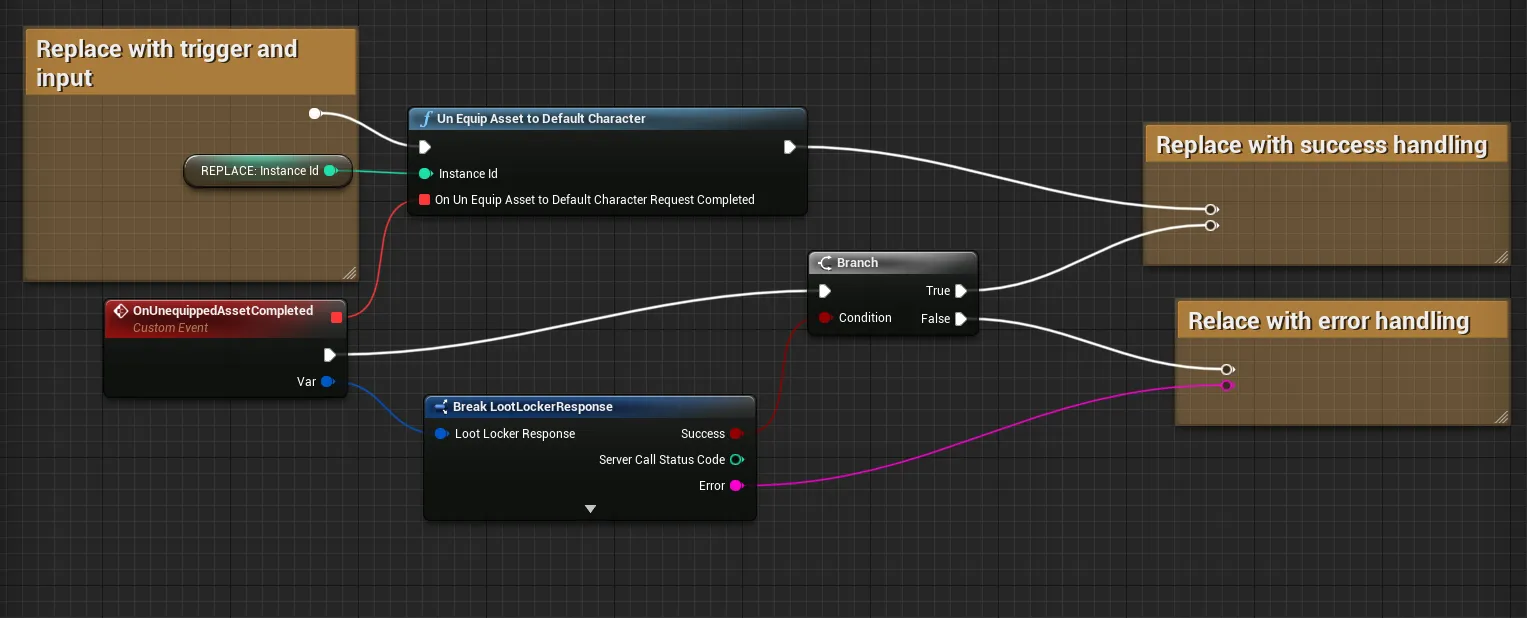
Coming soon — this sample hasn't been written yet. In the meantime, refer to the Reference Documentation for this endpoint.
Coming soon — this sample hasn't been written yet. In the meantime, refer to the Reference Documentation for this endpoint.
Get Equippable Contexts to Default Class
List the contexts that the default Base Class can equip.
LootLockerSDKManager.GetEquipableContextToDefaultCharacter((response) =>{    if (!response.success)    {        Debug.Log("Could not get equippable Contexts");        return;    }
});
To see what data gets returned, please refer to our Reference Documentation.
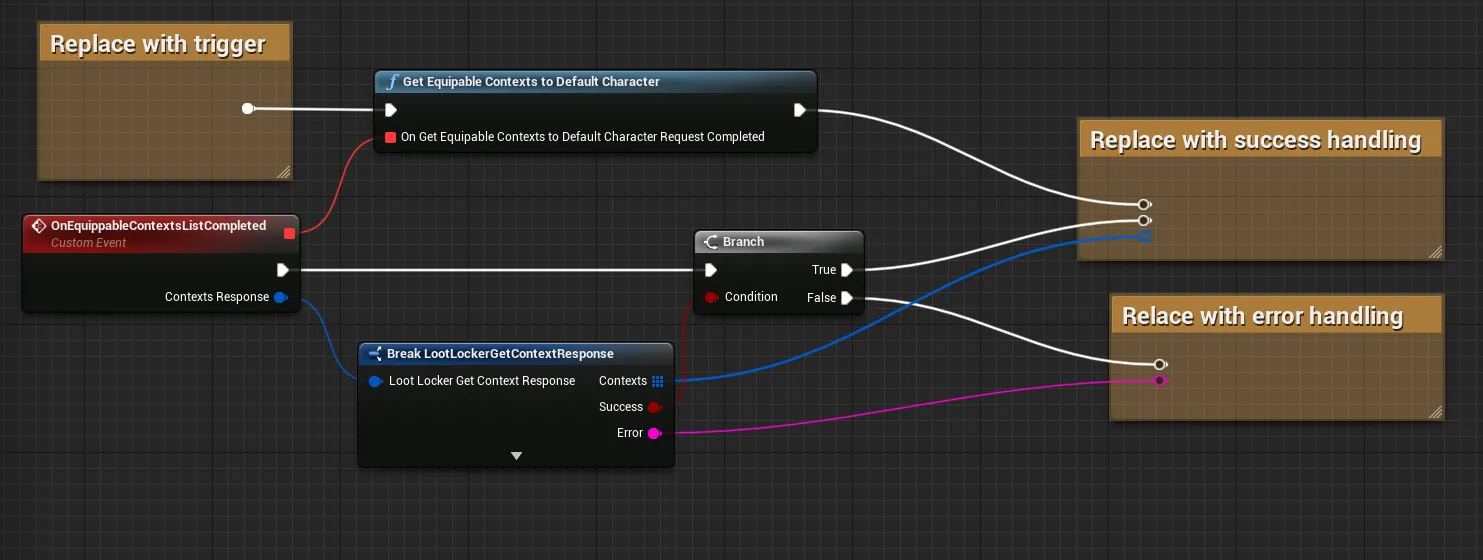
Coming soon — this sample hasn't been written yet. In the meantime, refer to the Reference Documentation for this endpoint.
Coming soon — this sample hasn't been written yet. In the meantime, refer to the Reference Documentation for this endpoint.
Conclusion
You've created, updated, and managed Base Class Characters and their equipped Assets from your game. Next, see Use Hero Classes In-Game if your game also uses Heroes.